

AI-powered PDF tools have changed how people read, understand, and work with documents. Instead of scrolling through dozens of pages, users now expect instant summaries, clear answers, and searchable insights from complex PDFs. Tools branded as “PDF AI” promise to do exactly that, chat with documents, extract key points, and save hours of manual reading.
Yet in 2026, expectations are higher. Many users need more than basic summaries or simple question-and-answer features. Accuracy, structure, data privacy, and repeatable workflows now matter just as much as speed. This shift is why professionals, researchers, and teams are actively searching for a stronger PDF AI alternative that can handle real work, not just one-off document queries.
This article breaks down what PDF AI tools offer today, where they fall short, and why Knolli stands out as a more capable alternative. You’ll see a clear comparison, real user perspectives, and guidance to help you choose the right platform for working with PDFs in 2026.
PDF AI refers to a class of artificial intelligence tools that interact with PDF documents intelligently, making them searchable, understandable, and conversational rather than static. Unlike traditional PDF readers, PDF AI lets you upload a document, ask questions, get summaries, extract insights, and locate specific information instantly, without manually scrolling through every page.
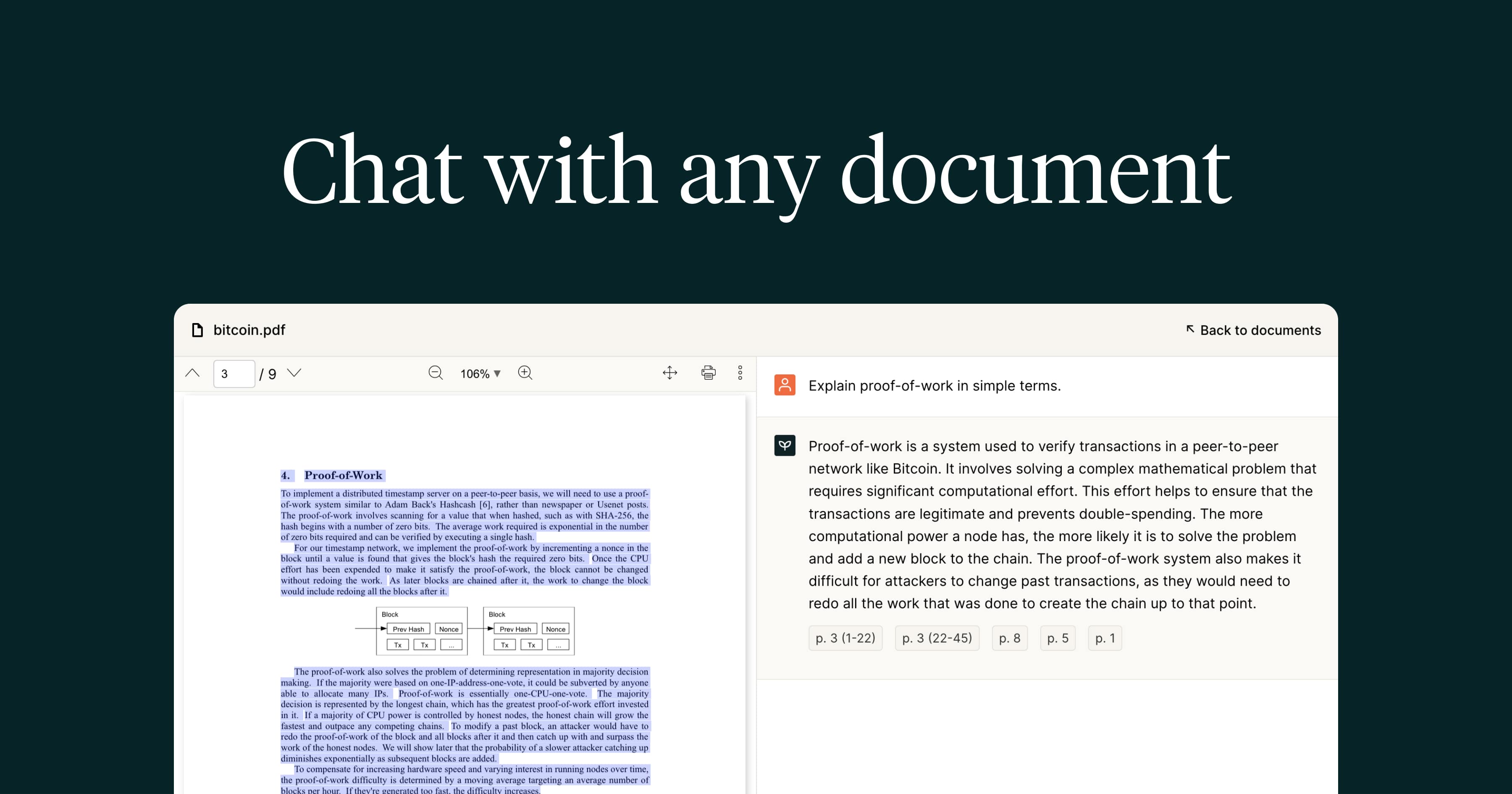
For example, platforms like PDF.ai are built to make PDF interaction more dynamic. They let you upload one or multiple documents, chat with them in natural language, and receive answers that are pulled directly from the file’s content. The tool will also provide summarized information and paragraph references, helping users verify the source of each answer.
Popular features generally include the ability to:
This type of tool is widely used by students seeking to understand research papers more quickly, by professionals reviewing reports, and by teams needing to extract important data from contracts or manuals. However, many PDF AI tools focus only on one-off interactions, with limited control over output quality and workflow integration, leading users to seek more sophisticated alternatives in 2026.
Many PDF AI tools focus on quick answers from a single document. That works for light use, but it often breaks down when documents become complex, sensitive, or interconnected. In 2026, professionals need tools that understand full context, protect private data, and scale beyond one-off PDF chats. This is where Knolli stands apart as a stronger PDF AI alternative.
Key Features That Make Knolli a Better PDF AI Alternative
Context-Aware PDF Conversations: Knolli analyzes the entire document, not just isolated text blocks. Answers reflect full context, which reduces vague or misleading responses and removes the need for keyword guessing.
Knolli moves PDF AI from simple question-answering into a secure, scalable document intelligence platform, built for real work, not just quick lookups.
Choosing between a traditional PDF AI tool and Knolli depends on how deeply you work with documents and how important control, accuracy, and scalability are to you. Both options help you interact with PDFs, but they serve very different purposes.
PDF AI tools are built for speed and simplicity. They work well when you need quick answers from a single document, basic summaries, or short-term analysis. If your workflow involves uploading a single PDF, asking a few questions, and moving on, these tools usually meet that need with minimal setup.
Knolli is designed for users who treat documents as ongoing knowledge assets rather than temporary files. It supports deeper understanding by analyzing entire documents, connecting multiple PDFs, and turning them into structured knowledge bases. This makes it better suited for research-heavy work, professional reviews, and business use where accuracy and context matter.
.png)
Another key difference is ownership and control. PDF AI tools often prioritize convenience over privacy, relying on fixed models and external processing. Knolli gives you more control over how data is handled, which models are used, and who can access the information. This matters for teams working with sensitive or regulated documents.
If you only need lightweight document interaction, PDF AI tools will suffice. If you need long-term value from your PDFs, whether for research, internal knowledge, or monetized content, Knolli is the more capable choice.
PDF AI tools are a good fit when your needs are simple and short-term. They work best in situations where speed matters more than depth or control.
These tools are well-suited for students, casual readers, or one-off document reviews where convenience is the top priority.
Knolli is built for users who rely on documents as a core part of their work and need accuracy, structure, and control at scale.
Knolli fits professionals, teams, and creators who want PDFs to behave like intelligent, searchable systems rather than static files.
In 2026, the best PDF AI alternative is Knolli for anyone who needs more than quick answers from a single document. While standard PDF AI tools focus on fast summaries and basic Q&A, Knolli is built for deeper document understanding, long-term use, and professional workflows.
PDF AI tools still serve a purpose. They work well for lightweight tasks such as skimming a report, checking a specific section, or getting a quick summary. For casual or occasional use, that simplicity can be enough.
Knolli stands out because it treats PDFs as living knowledge sources. It connects multiple documents, understands full context, protects sensitive data, and allows users to build private or monetized knowledge hubs. This makes it a stronger choice for researchers, legal teams, financial analysts, educators, and businesses that depend on documents every day.
If your goal is speed with minimal setup, PDF AI tools can meet that need. If your goal is accuracy, control, and scalability, Knolli is the better PDF AI alternative in 2026.
The best PDF AI alternative in 2026 is Knolli for users who need accurate, context-aware insights from documents. Unlike basic PDF AI tools that focus on single-file Q&A, Knolli supports multi-document knowledge bases, private workspaces, and full document understanding—making it better suited for professional and business use.
Many users switch to Knolli when they need more control and reliability. Knolli analyzes entire documents instead of isolated snippets, supports multiple PDFs at once, and gives users control over privacy and AI model selection. This makes it a stronger option for sensitive documents, long-term research, and structured workflows.
PDF AI tools are useful for quick chats with a single document. Knolli is better when conversations need context, accuracy, and continuity across multiple files. If your work depends on understanding how information connects across documents, Knolli delivers more consistent and meaningful results.
Yes. In addition to PDFs, Knolli supports Word documents, spreadsheets, presentations, images, text files, JSON, and HTML. This allows users to build broader knowledge bases instead of managing separate tools for different file types.
